Page Load Behavior
Your app likely has workflows that run when the page loads, for example, workflows with a Trigger behavior of Automatically run. The Page load behavior panel allows you to configure how App Builder treats these workflows.
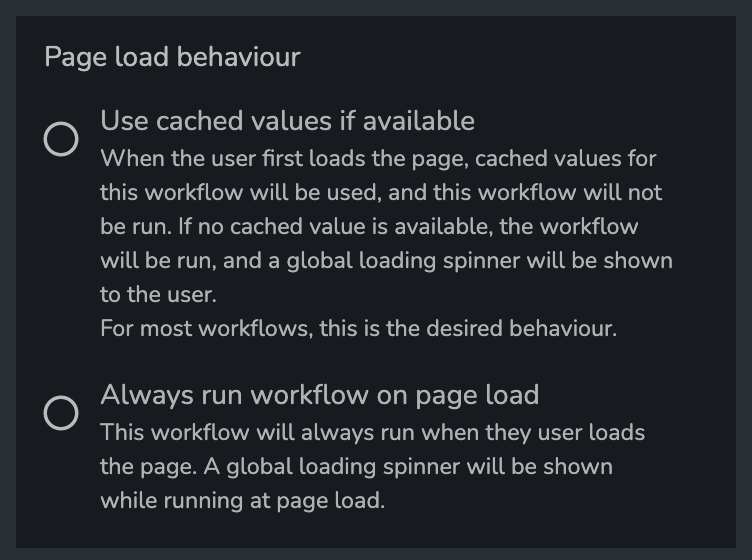
Use Cached Values if Available
This is the default behavior. With this behavior, the outputs of the page-load run of these workflows will be cached. When a user loads the app, one of 2 things will happen:
- If cached values for the workflow are available, these cached values will be used. The workflow will not be run when the page is loaded.
- If cached values aren't available, the workflow will be run. A global loading spinner will be shown to the user while the workflow is running. The calculated outputs will then be stored in the cache for future page loads.
The cached values will be invalidated when any modifications are made to any workflows. For most workflows, this is the desired behavior. However, this could lead to the data shown to the user on the initial load being out-of-date, as it will be cached values from a previous run of the workflow. For critical data that must be up-to-date, do not use this mode.
This feature is not available for workflows that:
- Contain a
Set value in data storestep - Contain a
Trigger workflowstep - Contain a
Input from workflow outputstep which points to a workflow which doesn't haveUse cached values if availableenabled. In other words, all 'upstream' workflows must also have this feature enabled.
Always Run Workflow on Page Load
With this behavior, the workflow will always run when the user loads the page. A global loading spinner will be shown while the workflow is running when the user first loads the app.